
Documentation
StratoSort Stack Docs
Organize, search and chat with your files using AI that runs on your own computer. Free for personal use.
Watch the 45-second tour
Get started in three steps
- Download the installer for Windows, macOS or Linux from GitHub Releases.
- Launch it and pick a model profile. StratoSort downloads its AI models once (about 7 GB, or about 10 GB for the higher-quality profile).
- Add a folder and review what StratoSort suggests.
No terminal, Python, Docker or API keys. The Install Guide covers each platform, security prompts and troubleshooting.
What it does
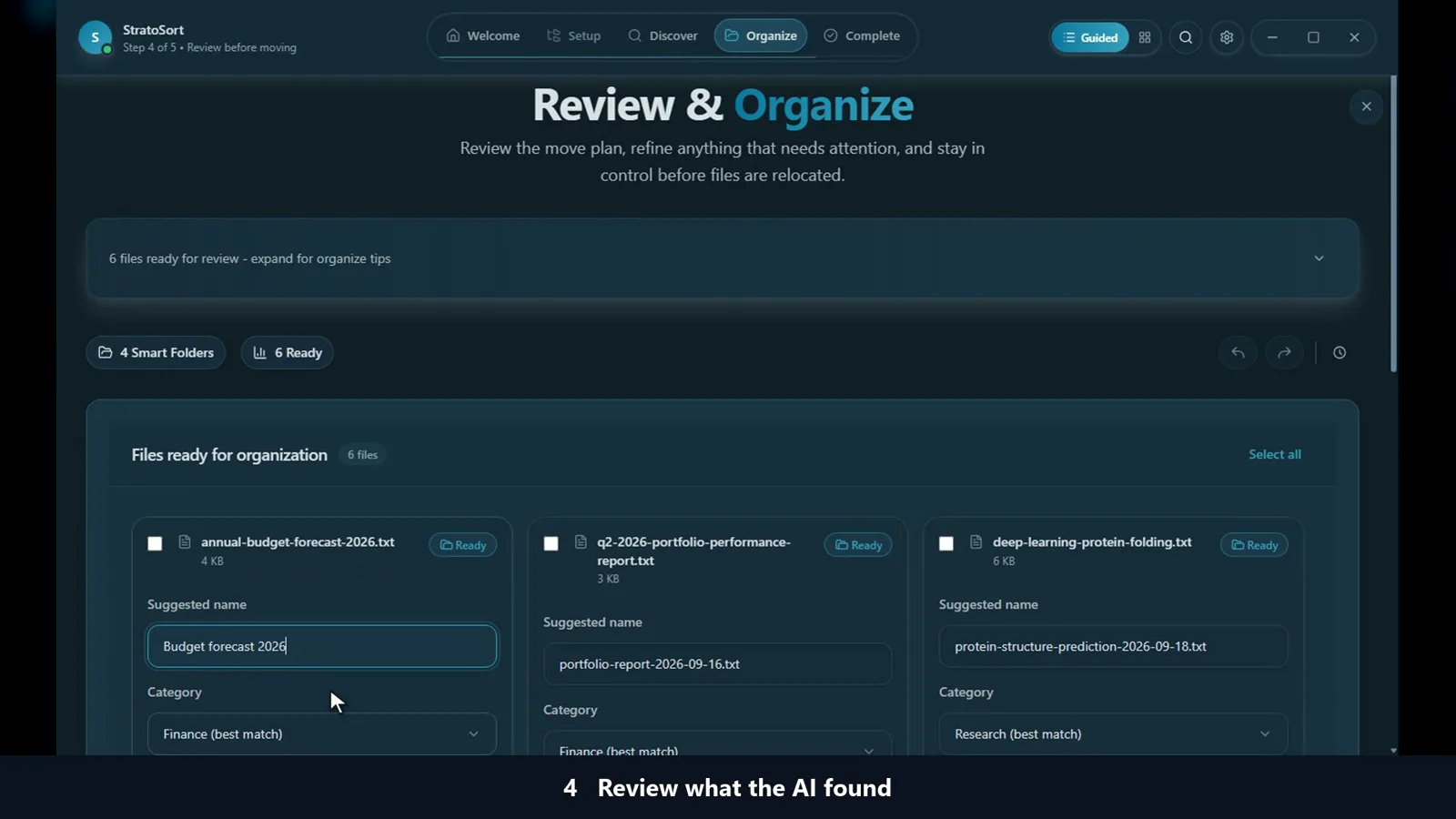 Organize by content
StratoSort reads what is inside each file, then suggests a clear name and the right folder. You review every suggestion before anything moves, and every move can be undone.
User Guide →
Organize by content
StratoSort reads what is inside each file, then suggests a clear name and the right folder. You review every suggestion before anything moves, and every move can be undone.
User Guide →
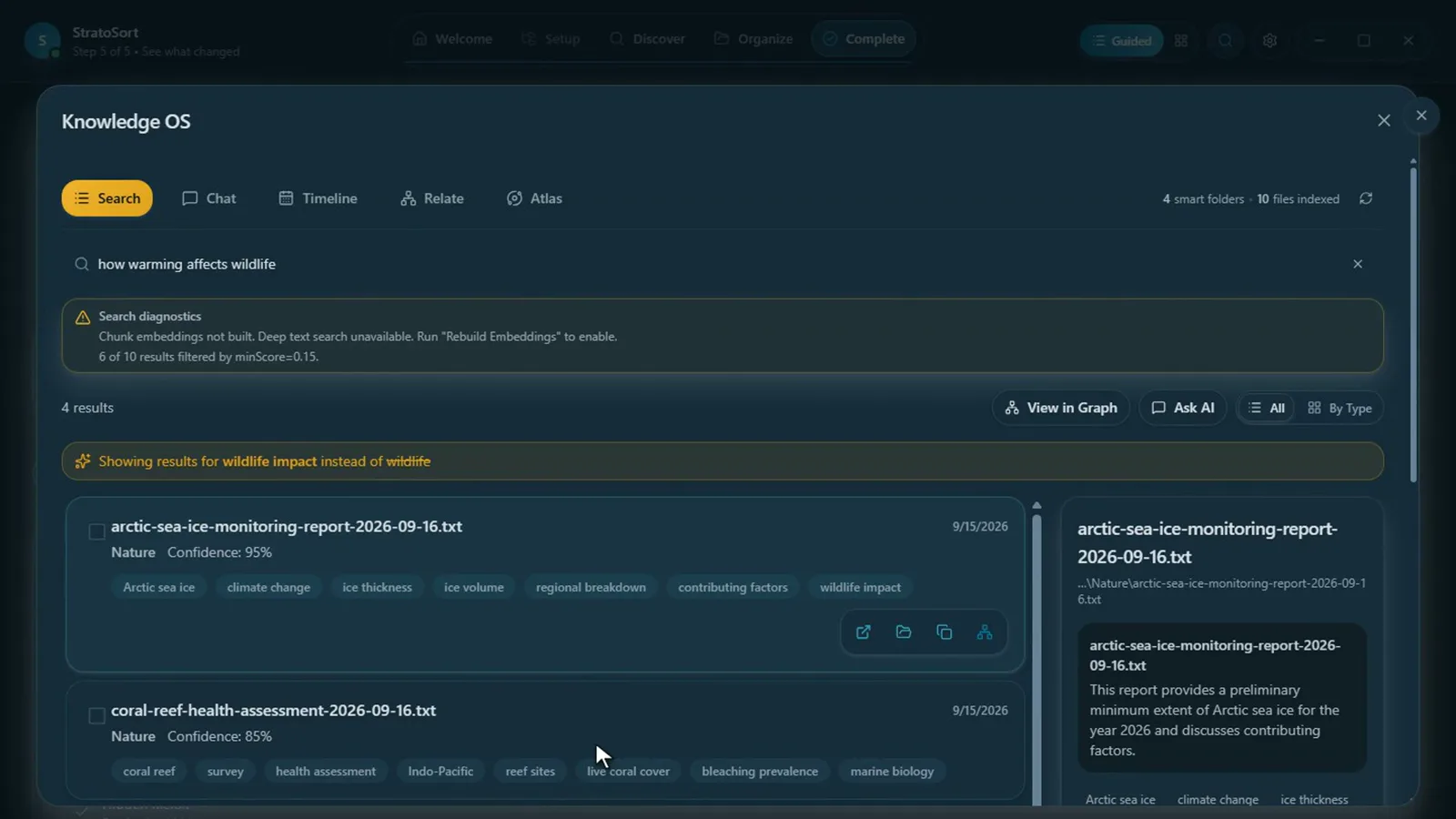 Search by meaning
Ask for "how warming affects wildlife" and find the report even if those words are not in its name. Exact matches like an invoice number still work.
How search works →
Search by meaning
Ask for "how warming affects wildlife" and find the report even if those words are not in its name. Exact matches like an invoice number still work.
How search works →
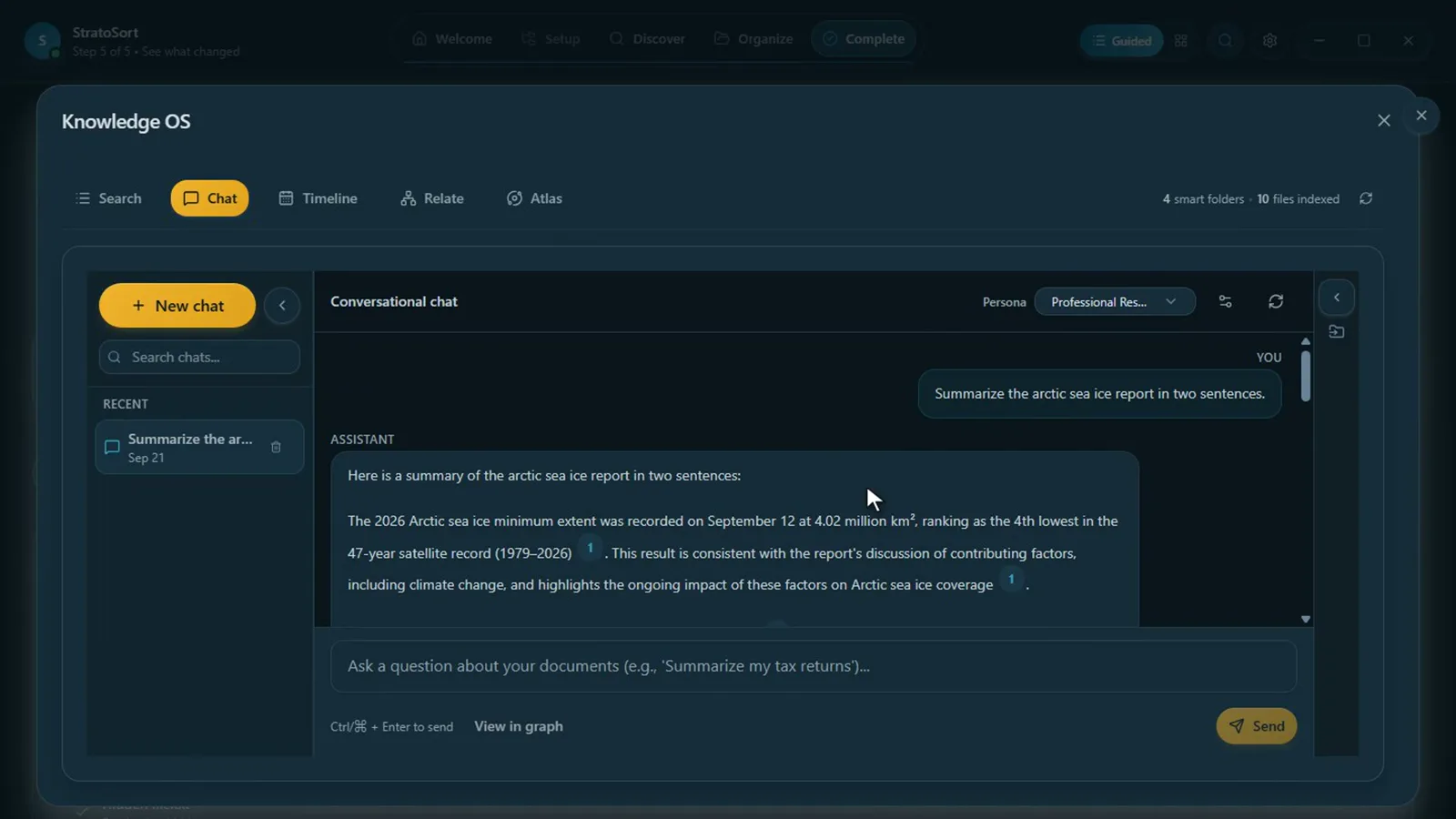 Chat with your documents
Ask questions in plain language and get answers built from your own files, with the sources they came from.
Learn more →
Chat with your documents
Ask questions in plain language and get answers built from your own files, with the sources they came from.
Learn more →
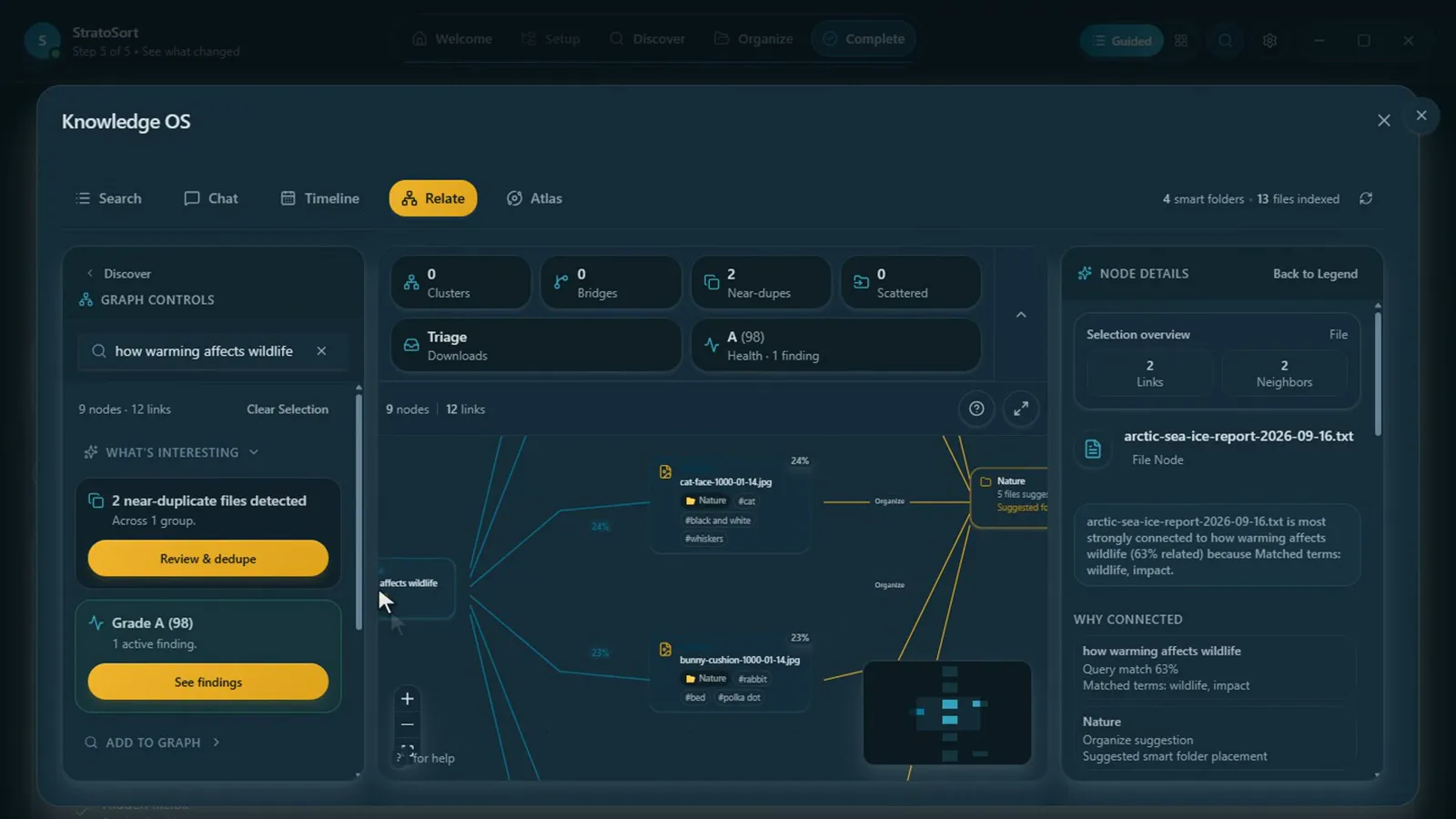 See how files connect
Relate draws your files as a graph so you can follow links between related documents, spot near-duplicates and find clusters.
Graph features →
See how files connect
Relate draws your files as a graph so you can follow links between related documents, spot near-duplicates and find clusters.
Graph features →
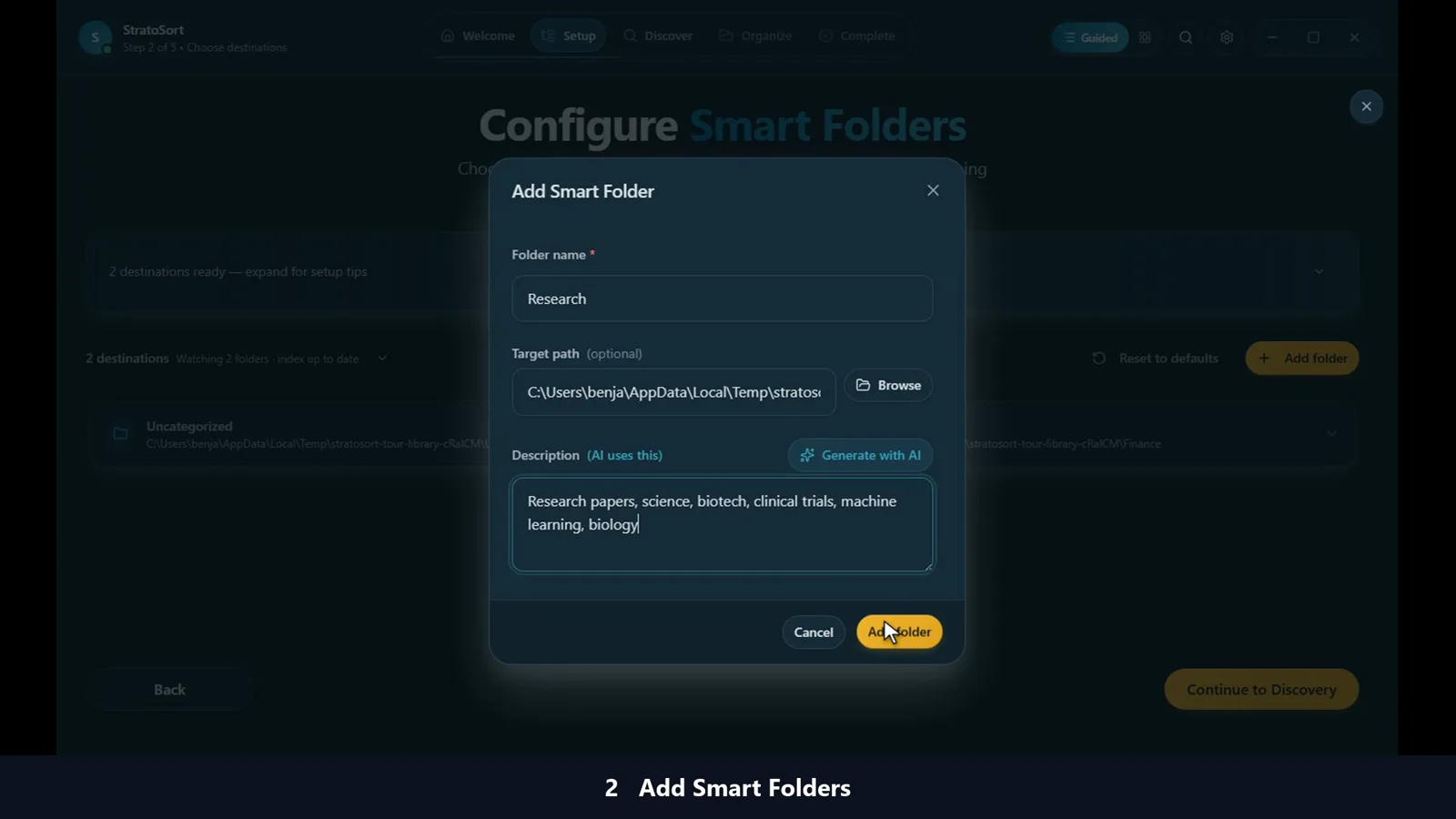 Smart Folders
Describe a folder in plain words, such as "invoices and receipts", and new files that match are routed into it.
Set up folders →
Smart Folders
Describe a folder in plain words, such as "invoices and receipts", and new files that match are routed into it.
Set up folders →
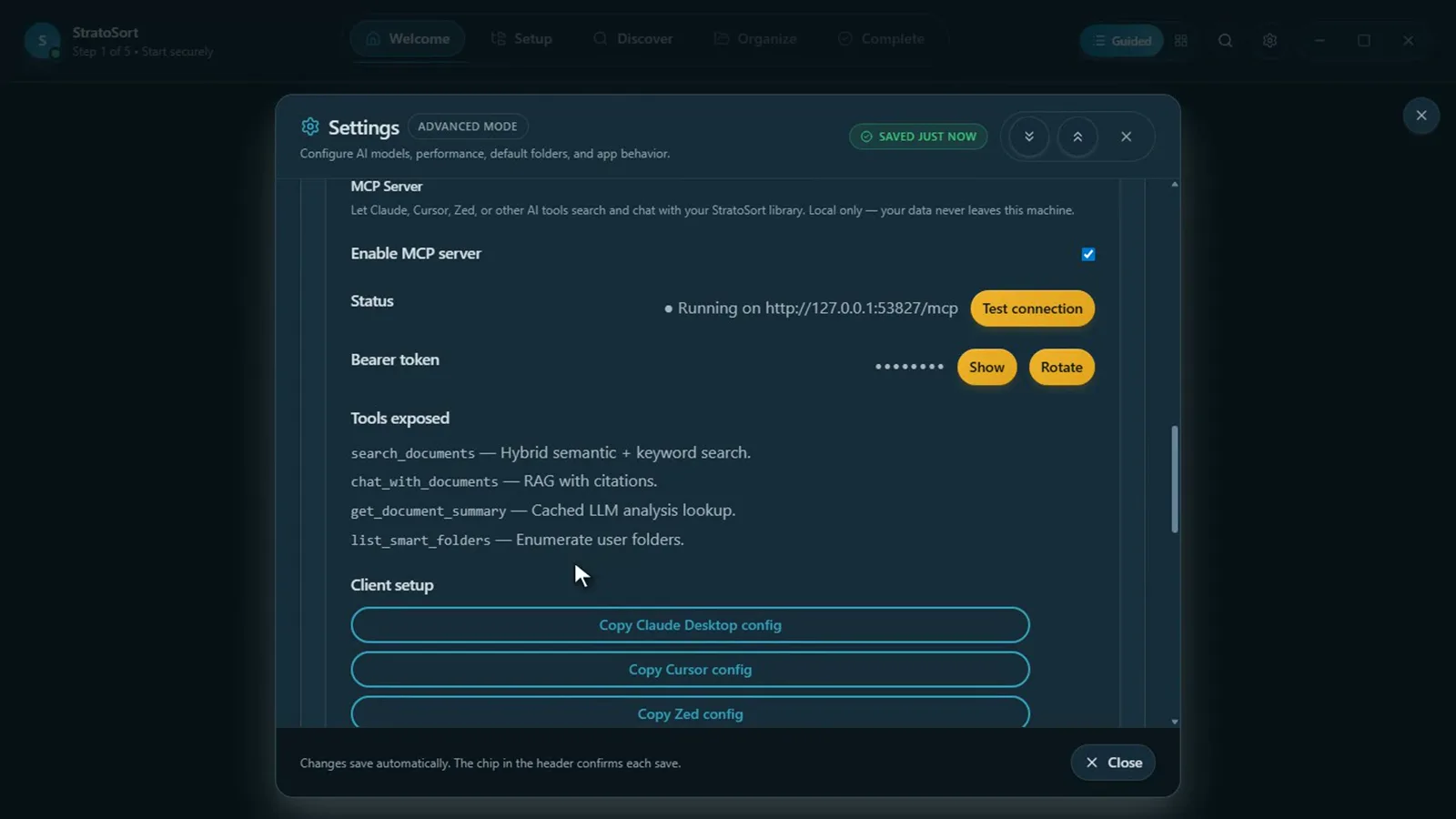 Use it from other AI tools
Turn on the local MCP server to let Claude Desktop, Cursor or Zed search your files, without those tools uploading them.
MCP Server →
Use it from other AI tools
Turn on the local MCP server to let Claude Desktop, Cursor or Zed search your files, without those tools uploading them.
MCP Server →
Private by design
- Runs on your computer. Analysis, search and chat use AI models stored on your machine. There is no StratoSort account or cloud service.
- No telemetry. The app sends no analytics or crash reports.
- Network use is limited and listed. After the one-time model download, the only automatic connection is the update check, which you can turn off. Every connection is documented in Network Transparency.
- Cloud AI is optional. You can add your own Anthropic or OpenAI-compatible key for some tasks; search and embeddings always stay local. See Cloud AI Providers.
- Works offline. Once the models are installed, StratoSort runs without internet, including on machines that never go online.
Documentation
| If you want to… | Read |
|---|---|
| Install StratoSort | Install Guide |
| Learn the app | User Guide |
| See every screen | Screen-by-Screen Walkthrough |
| Know exactly what goes over the network | Network Transparency |
| Use it for work | Commercial Licensing |
| Build or contribute to it | Getting Started (developers) |
StratoSort Stack is free for personal and other noncommercial use under the PolyForm Noncommercial License 1.0.0. Commercial use needs a paid license.